
Help
Billing
Using ACH Bank Payments
ACH bank payments let families pay your school directly from a connected bank account. This payment method offers lower processing costs than credit cards and integrates seamlessly with your billing system.
Once enabled, ACH appears alongside credit cards as a payment option throughout the billing interface.
This article explains how ACH works for your school, what fees are involved, and how to enable it.
Enabling ACH Bank Payments
Before families can pay using ACH bank payments, your school must enable it in your billing settings.
To enable ACH bank payments:
- From the sidebar navigation, select Billing, then open the Account tab
- Click Edit next to Options
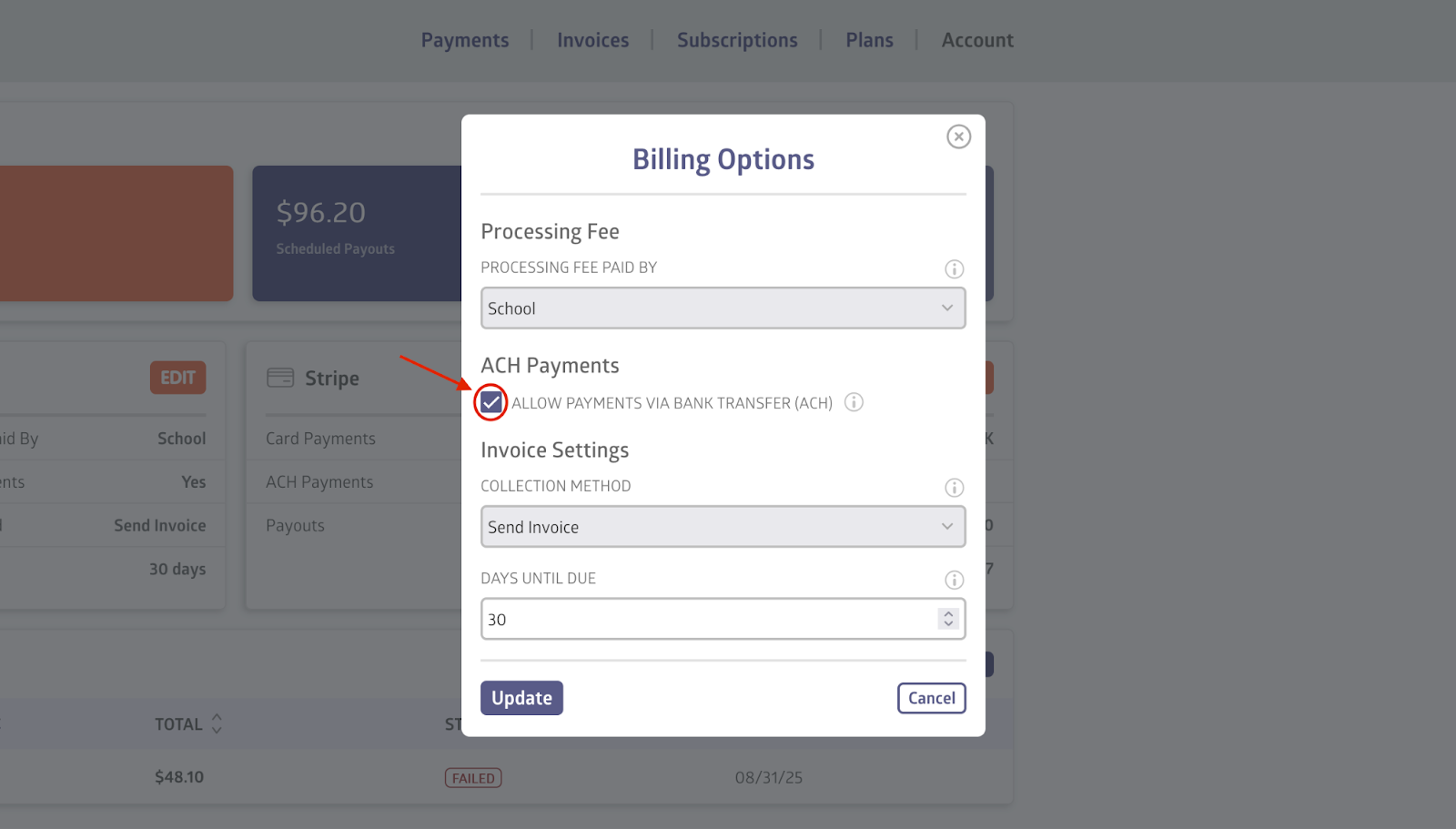
- Check Allow payments via bank transfer (ACH) and click Update
- Review and accept the ACH Processing Fees agreement
Once ACH is enabled:
- ACH bank payments will appear as a payment option when creating invoices
- ACH bank payments will be available during subscription setup
- Families will be able to securely connect bank accounts
You can turn ACH bank payments on or off at any time from the Billing page.
ACH Processing Fees
Stripe charges small operational fees for certain ACH-related events. These fees are charged to the school’s Stripe balance (not the family) and appear in the billing history.
The fees are as follows:
- Bank Account Verification: $1.50
- Failed Payment: $4.00
- Dispute: $15.00
These fees are applied automatically when the related event occurs.
Despite these expenses, bank transfer (ACH) remains significantly cheaper than credit card fees for routine subscription and invoice payments. ACH bank payments can take up to 4–6 business days to complete and may be returned by the bank.
Still stuck? Shoot us an email and we’ll do our best to help.