
Help
Classes
Taking Attendance
Attendance is recorded at the class level and can be tracked by date.
To take attendance:
- Navigate to Attendance from the sidebar
- Use the date picker to select the class date
- Select the class you want to record attendance for
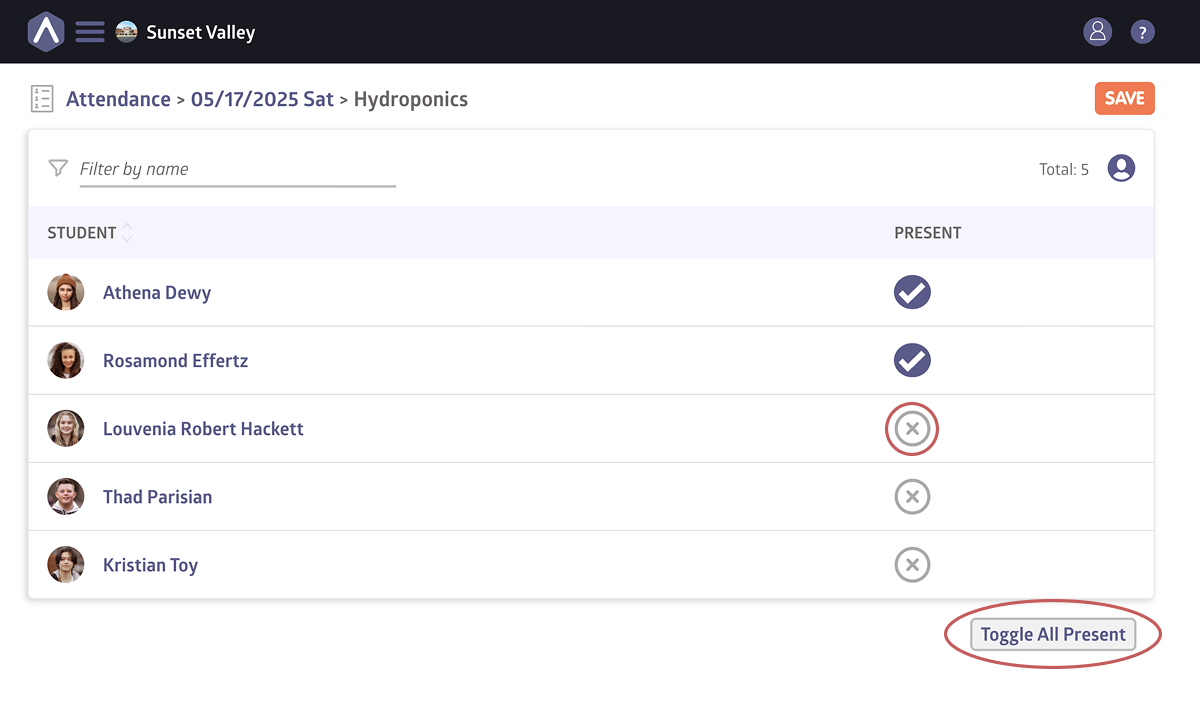
- Mark the X under Present next to each student’s name or click Toggle All Present to mark everyone at once
- Click Save
Attendance Reports
You can generate attendance reports using the Reports tool.
To do so, head to Classes from the side navigation, then select Reports under the Tools section.
Reports include:
- Total attendance
- Missing attendance
- Students’ attendance details
Click here for a more detailed look at reports.
Still stuck? Shoot us an email and we’ll do our best to help.