
Help
Classes
Creating and Editing a Class
A Class is a live learning space where instruction takes place in a.school. Classes are where students enroll, instructors teach, and the curriculum is delivered.
Within a class, you can:
- Assign instructors
- Enroll students and guardians
- Organize lessons and activities
- Post updates and announcements
- Set start and end dates
Classes are created and managed from the Classes page.
Creating a Class
To create a new class:
- Open the side navigation and click Classes
- Click Add Class
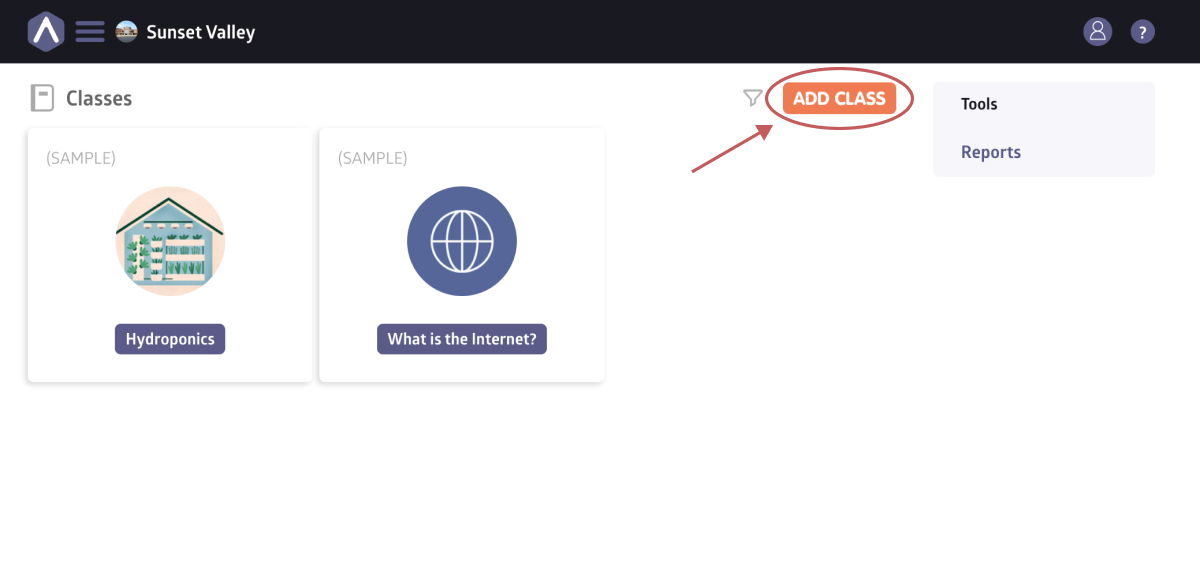
- Enter a class name, code, capacity, and optional cover image
- Click Add Class
Once your class is created, you can continue setting it up using the tabs inside the class, such as Stream, Lessons, and Roster, to add content, enroll students, and share updates.
Learn more about managing the different elements of a class.
Editing a Class
After creating a class, you can update its details at any time from the class page.
To edit a class:
- Navigate to the class you want to edit
- Click Settings
- Under Details, click Edit to update information such as the class location, room, code, or capacity
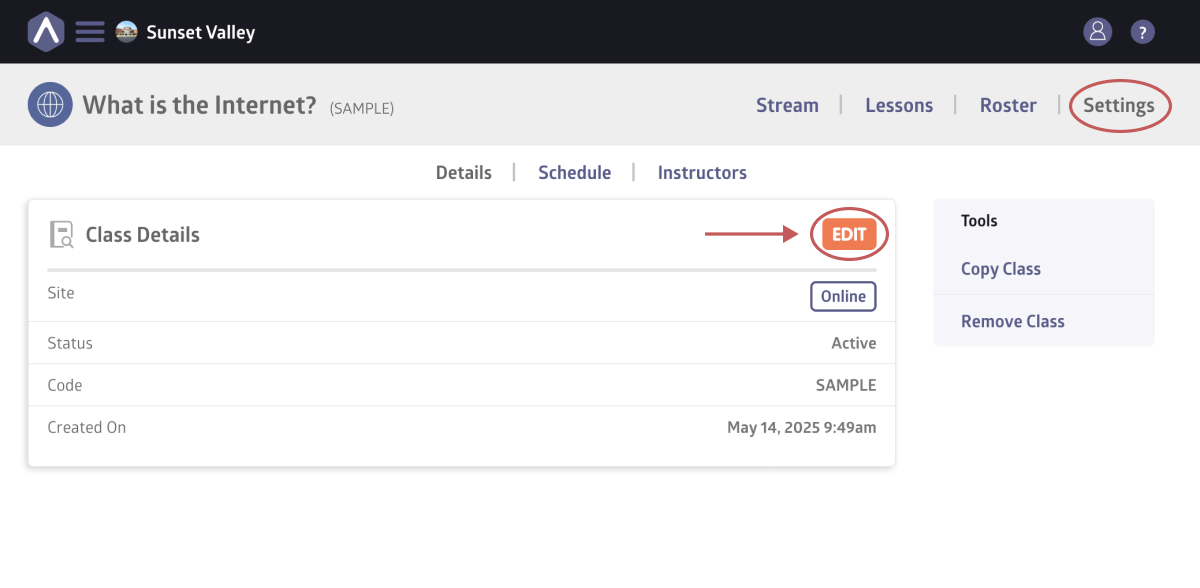
- Under Schedule, add new dates or edit existing ones by clicking Add Date or Edit Schedule
Still stuck? Shoot us an email and we’ll do our best to help.