
Help
Classes
Creating and Managing Activities
An Activity is an interactive task or assignment that students complete within a lesson. Activities make up the core educational content of a lesson and are used to present material, assess understanding, and encourage engagement.
Activities live inside lessons, and each lesson can contain multiple activities.
Adding an Activity to a Lesson
To add an activity:
- Navigate to the lesson you want to add the activity to
- Click Add Activity
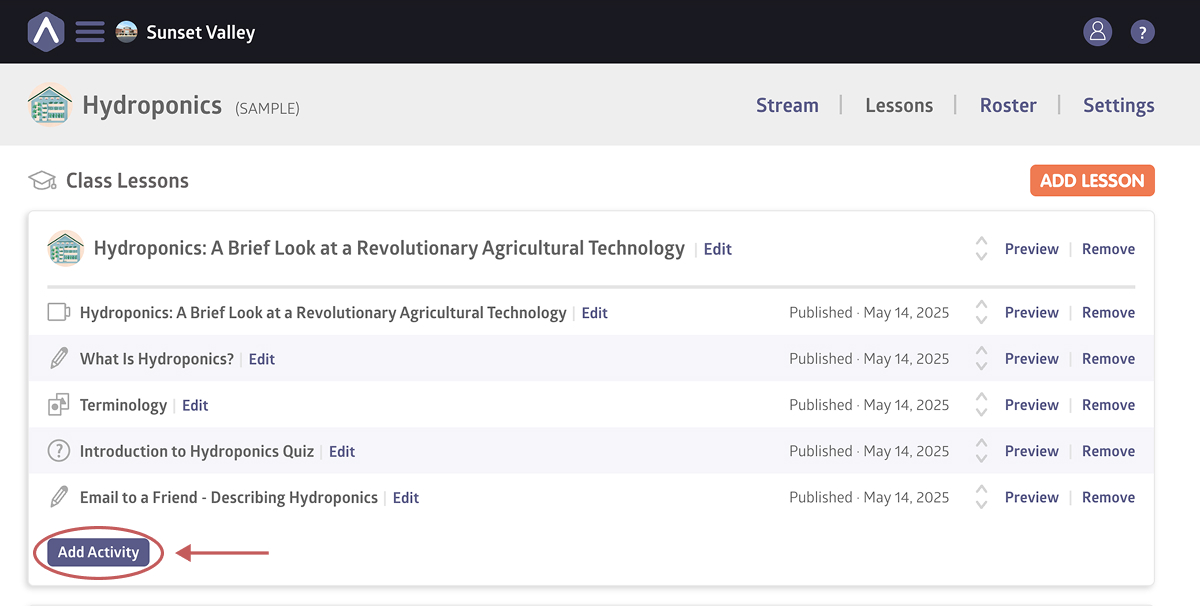
- Choose the activity type
- Enter the activity content and settings
- Save the activity
Activity Types
a.school offers several types of activities to support different teaching goals.
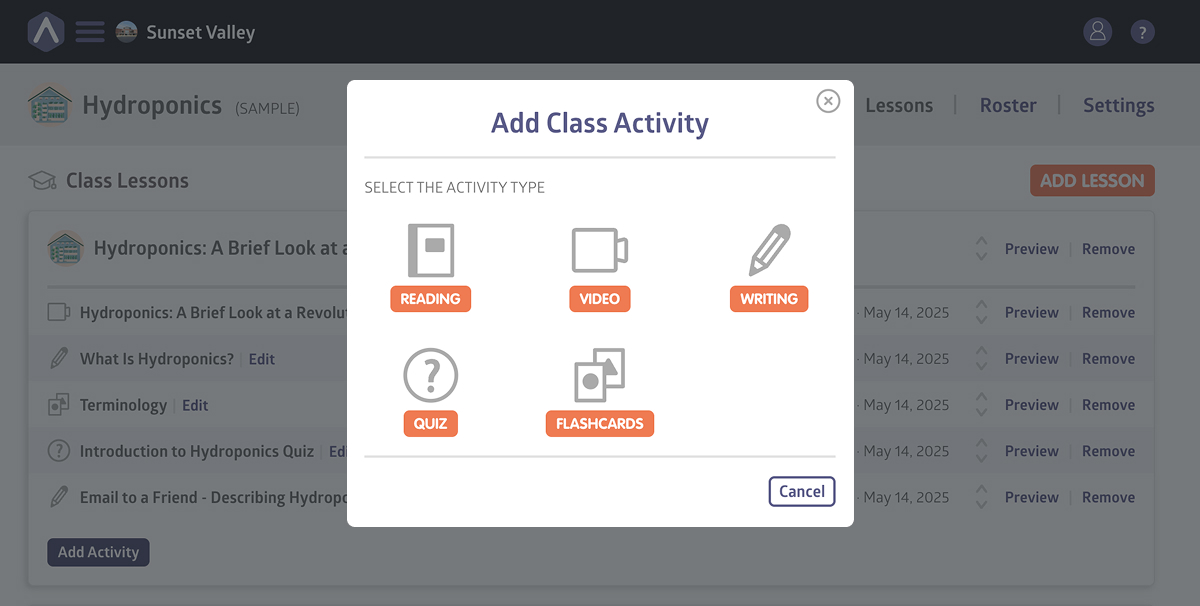
There are five different types of activities you can choose from:
1. Reading
Reading activities are text-based and allow you to present written material and assess students’ comprehension and language skills.
2. Writing
Writing activities use prompts to encourage students to respond in their own words. Common uses include essays, reflections, and creative writing.
3. Video
Video activities let you embed video content directly into a lesson using embed codes from YouTube or other supported streaming platforms.
4. Quiz
Quizzes allow you to test students’ knowledge of a specific subject using structured questions and answers. Additional attachments can be included if needed.
5. Flashcards
Flashcards help students memorize information by flipping between content on the front and back of each card. Images and text can be used together for visual learning.
Adding Attachments to Activities
You can add attachments to any activity to supplement its content. Attachments can include images and PDF documents.
To add attachments to an activity:
- Open the activity you want to edit
- Click Add Files
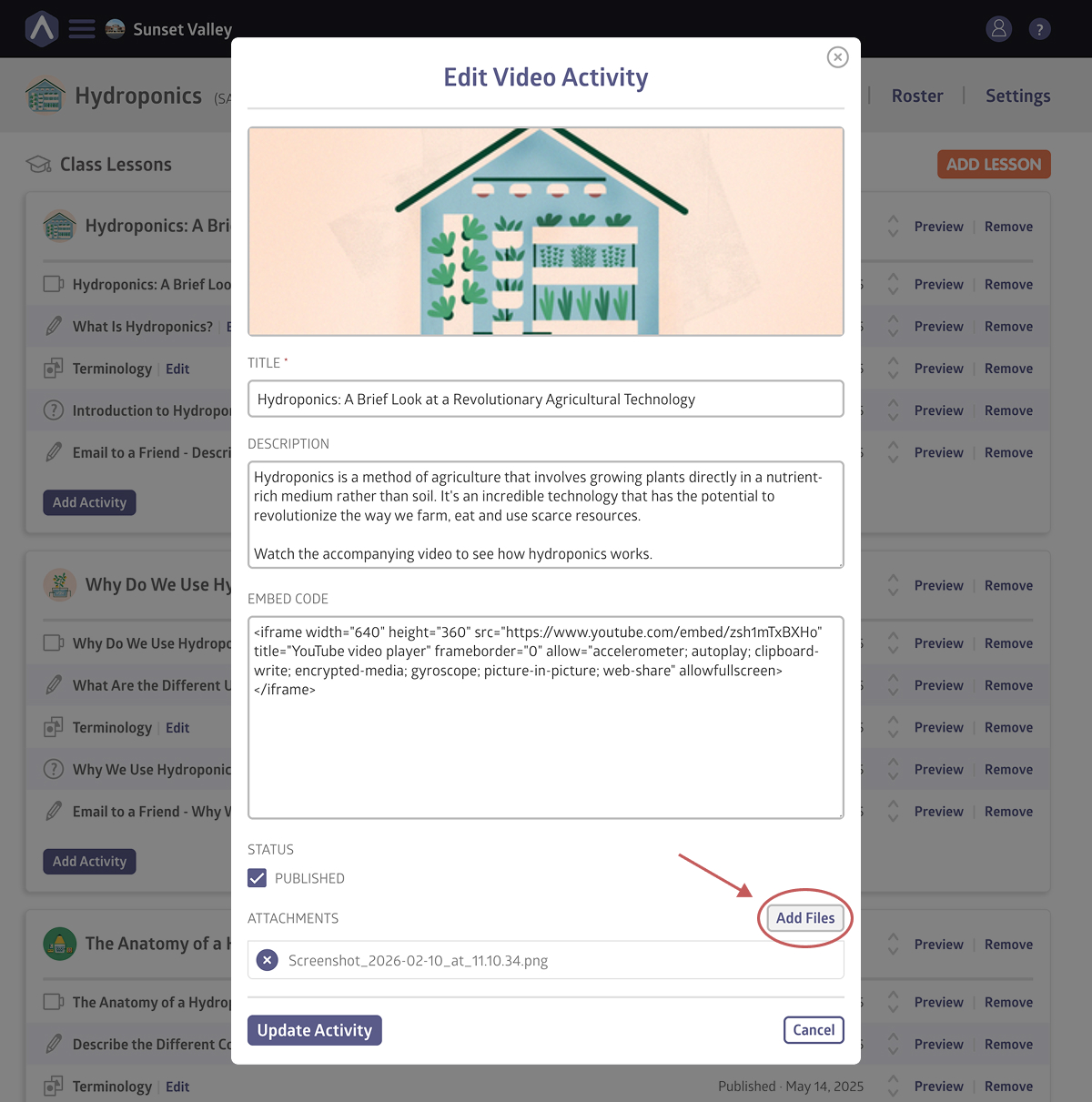
- Select the images or documents you want to attach
- Click Update Activity
Still stuck? Shoot us an email and we’ll do our best to help.