
Help
Classes
Class Entries
Class Entries are posts or image galleries that instructors or staff members can share within a class. They’re designed for quick communication and informal updates, rather than structured student work.
Class Entries are commonly used to:
- Share announcements or reminders
- Post photo updates or galleries
- Share notes or context around course content
- Communicate with students and provide visibility for guardians
All members of a class can comment on and interact with Class Entries.
Note: Class Entries are for communication and updates. For assignments or student work, use activities within lessons.
Adding a Class Entry
To add a Class Entry:
- Open the side navigation and click Classes
- Select the class you want to post in
- Click Add Entry
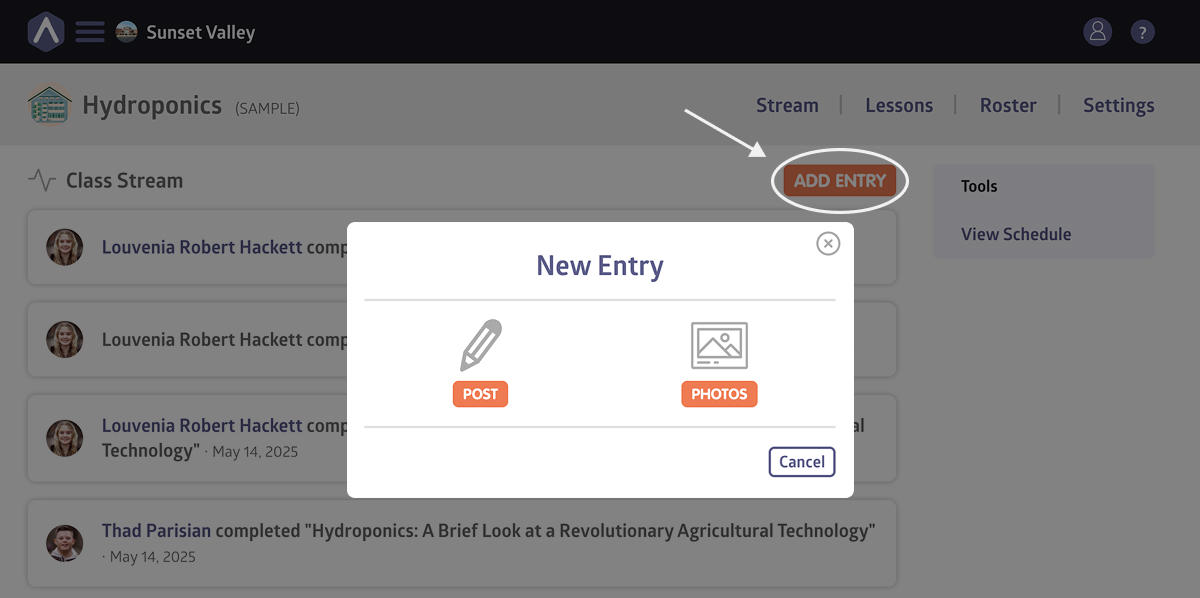
- Choose whether you want to create a Post or a Photo Entry
- Add your content and publish the entry
Once published, the entry can be viewed and commented on by all class members.
Still stuck? Shoot us an email and we’ll do our best to help.